
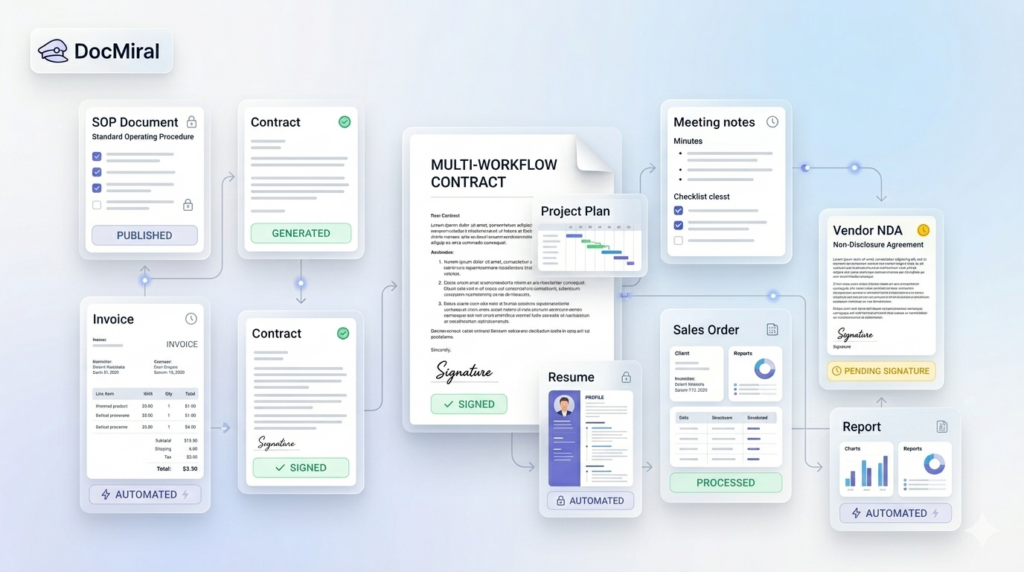
In every professional setting, document workflows clutter our days with repetitive tasks: drafting invoices, compiling meeting minutes, issuing contracts, or preparing project proposals. These processes, while crucial, often consume valuable time that could be better spent on strategic work. Automating these document workflows can drastically improve efficiency, reduce errors, and ensure consistency.
In this post, we explore 10 common document workflows you can automate today using DocMiral, an AI-powered document creation platform tailored to streamline document generation and management. We’ll break down each type of document, illustrate the automation approach, and show how DocMiral’s features can optimize these workflows.
1. Invoices
Invoice creation follows predictable patterns: client details, list of services or products, amounts, taxes, and payment terms. Automating invoices saves hours of manual entry and minimizes errors.
Using DocMiral, you can create an HTML + TailwindCSS invoice template with dynamic variables for client data and line items. Integration with data Buckets allows for mapping product and pricing information automatically. With API calls, invoices generate instantly when a sale is recorded.
2. Employment Contracts
Employment contracts require customized clauses based on role, salary, and jurisdiction but follow a consistent structure. Automation reduces drafting time and standardizes employment terms.
DocMiral’s MiniApps can collect structured inputs (like position, salary, benefits), and AI-powered templates from Tars AI can generate contract drafts. Variables make it easy to customize terms, and the platform supports e-signature integration for a smooth execution.
3. Meeting Minutes
Meeting minutes are essential for documentation and follow-up but often inconsistently formatted and delayed.
Leverage a reusable meeting minutes template with prebuilt sections for agenda, attendees, discussion points, decisions, and action items. Use DocMiral’s automation to populate attendee lists from Buckets and draft summaries using AI-powered suggestions from meeting transcripts uploaded via MiniApps.
4. Reports
Whether sales reports, status updates, or technical summaries, reports require consistent structure and accurate data integration.
DocMiral allows API-driven data insertion from databases or analytical tools, populating tables, charts, and insights automatically into HTML templates styled with TailwindCSS. This ensures reports are timely and visually coherent.
5. Resumes
Recruiters and professionals want well-formatted resumes that highlight key skills and experiences.
With DocMiral, users can select from multiple resume templates, fill out MiniApps capturing structured resume data, and then generate polished PDF resumes instantly. Templates ensure branding consistency, and AI assistance helps optimize phrasing.
6. Quotations
Preparing quotations manually risks inconsistent pricing and delays.
Templates linked to Buckets containing price lists auto-fill costs and customizable terms. When combined with DocMiral’s automation, sales teams can generate quotes quickly from lead data, reducing turnaround time and errors.
7. Certificates
Certificates for courses, events, or achievements need personalized text and uniform design.
DocMiral supports dynamic generation of certificates, pulling recipient names and course details from Buckets. Templates define the visual design using TailwindCSS, ensuring a professional look for every certificate generated.
8. Project Proposals
Project proposals demand customization but reuse of core content and consistent formatting.
DocMiral’s modular templates enable insertion of client-specific variables, scope, timeline, and pricing details captured via MiniApps. Automated generation ensures proposals are ready faster, with fewer revisions.
9. Legal Letters
Legal correspondence often repeats core phrases and clauses tailored by case specifics.
Using prebuilt templates, DocMiral automates drafting by filling in party names, dates, and legal references from Buckets. AI assistance can help draft initial letter bodies based on context, speeding up legal workflow.
10. NDAs (Non-Disclosure Agreements)
NDAs require precise terms but need quick generation for many partners or vendors.
DocMiral templates enable rapid population of counterparty details and confidentiality clauses. Integration with e-signature apps makes execution seamless, closing contracts faster.
How DocMiral Brings It All Together
At the core, DocMiral integrates template design with data management and AI-driven generation. Key components beneficial to these workflows include:
- Templates with HTML + TailwindCSS: Let you define flexible, visually consistent designs for all documents.
- Buckets: Centralized reusable data libraries that feed document variables.
- MiniApps: Structured data capture interfaces that standardize input before document generation.
- AI Templates with Tars AI: Produce drafts and text expansions automatically, reducing manual writing.
- API & Automation: Connect your systems to trigger document generation and delivery seamlessly.
- E-Signature Integration: Streamlines contract and agreement execution embedded within the workflow.
By combining these capabilities, DocMiral transforms tedious, error-prone manual drafting into automated, repeatable workflows. The platform is designed to serve both template creators (developers and designers who build these document systems) and end users (professionals who generate documents). It fosters consistency, speeds turnaround, and reduces operational overhead.
Conclusion
Automating your document workflows is more than a productivity hack — it ensures accuracy, compliance, and professionalism in everyday business activities. The 10 document types discussed here are prime candidates for automation, delivering immediate value.
DocMiral equips you with the tools to build, customize, and automate these document workflows easily. With modular templates, reusable data, AI assistance, and seamless integrations, you can focus on what really matters: scaling your business and improving client experiences.
Leave a Reply