
Free
Reports Template - Customizable Cobalt Pulse Workforce Design for HR Analytics
Build a comprehensive HR workforce analytics dashboard using our simple editor and customize it with your organization's hiring data, charts, and KPI metrics.
AI Assistant
Tars helps you fill
MiniApps
Smart form UI
Buckets
Save & reuse
API Ready
Programmatic
ColorsLayoutBackground
What You Can Fill
This template includes 1 section for easy data entry
Custom Fields
18 supported fields
Custom Field
report period
filled count
addition count
replacement count
reg count
temp count
company logo
filter year
filter location
filter org
filter bu
filter group
chart orgs
chart bu detail
chart grade
chart job function
chart position
chart diversity
About This Template
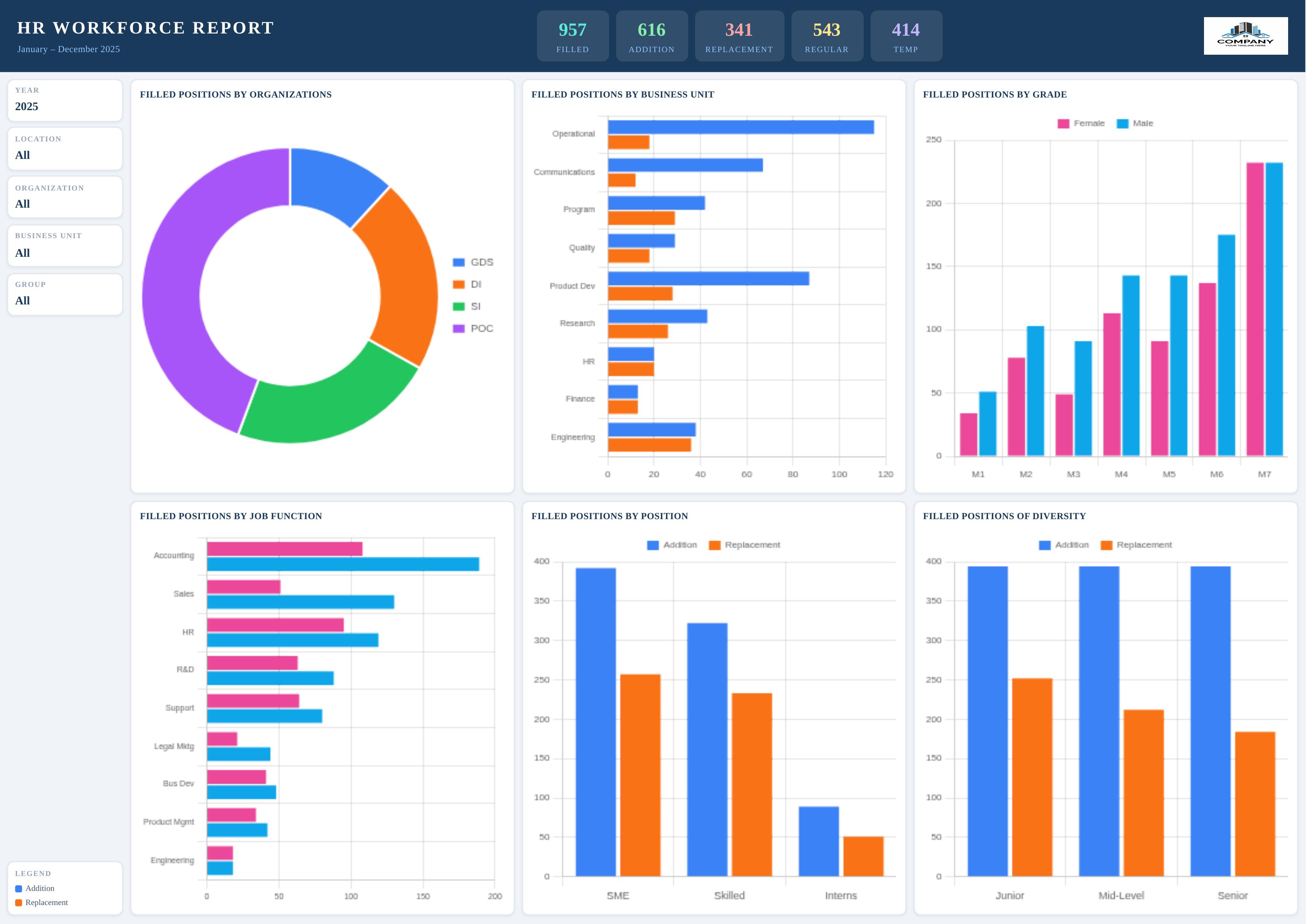
The Cobalt Pulse Workforce template features a sleek navy-and-white HR analytics dashboard layout with a bold header bar, five key performance indicator (KPI) cards, and six interactive charts for deep workforce insights.
Users can customize all KPI metrics (Filled, Addition, Replacement, Regular, Temp counts), filter context fields (Year, Location, Organization, Business Unit, Group), and six Chart.js charts including doughnut and bar chart visualizations of positions by organization, business unit, grade, job function, position level, and diversity.
The template suits HR departments, talent acquisition teams, and workforce planners needing a polished, data-driven report. Its landscape layout maximizes chart real estate for executive-level presentations.
Create your custom HR report in minutes using Docmiral's intuitive editor — fill in your numbers, upload your company logo, and export a professional PDF or image ready for stakeholders.
HR reportworkforce analyticscobalt pulse workforceHR dashboard templatefilled positions reporttalent acquisition reporthuman resources templateemployee analyticsworkforce KPIHR chart templatebusiness unit reportdiversity reportjob function analysisgrade distribution chartlandscape HR report